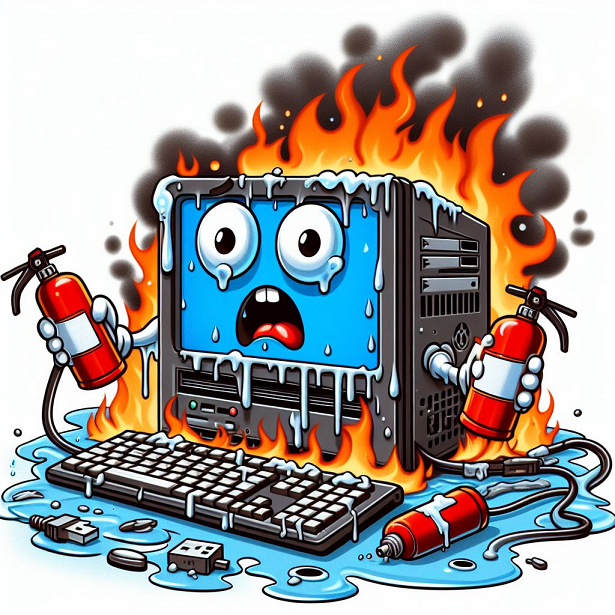
Unleash Peak Performance: Custom Gaming PC Repair in New Farm (4005)
Gaming PC Repair : Is your once-mighty gaming rig stuttering during intense battles? Do frame rates lag, and load times seem like an eternity? Don’t settle for subpar performance! At Computer Repair in New Farm, Brisbane (4005), we specialize in custom gaming PC repairs, bringing your prized machine back to its top form.
We understand the unique needs of gamers. Your PC is more than just a computer; it’s your portal to epic adventures. That’s why we offer:
- Expert Technicians: Our team is passionate about gaming and possesses in-depth knowledge of high-performance hardware.
- Customizable Solutions: We diagnose issues and tailor repairs specifically for your PC’s configuration.
- Genuine Parts: We use only high-quality, manufacturer-approved components to ensure optimal performance and stability.
- Transparent Communication: We’ll explain the problem clearly and discuss potential solutions before proceeding with any repairs.
- Fast Turnaround: We prioritize getting you back in the game quickly, minimizing downtime.
Common Gaming PC Repair Issues We Address:
- Performance Issues: Low frame rates, lagging, overheating, stuttering, crashes.
- Hardware Upgrades: CPU, GPU, RAM, storage, cooling system upgrades.
- Overclocking Optimization: Fine-tune your overclocking settings for maximum performance while maintaining stability.
- Operating System Issues: Diagnose and fix Windows errors, crashes, or reinstallations.
- Virus & Malware Removal: Protect your system from malicious software that can hinder performance.
- Component Troubleshooting & Replacement: Faulty graphics cards, RAM modules, hard drives, and more.
- Cooling System Maintenance: Clean and optimize cooling components for efficient heat dissipation.
- Data Recovery (in Some Cases): We’ll attempt data recovery if your storage drive fails, but success depends on the severity of damage.
- Short Circuting Motherboard Repairs : Power Related Computer Repairs
- Overheating Computer Repairs : Performance improvements on your Gaming PC
- CPU and Case cooling installation, Liquid CPU Cooler Installation
- Power Supply Replacement, Bricked Bios Repairs, Bios update
- Not Powering Up or Turning On PC Repairs
Why Choose Us for Your Custom Gaming PC Repair? Cost – Quick – Reliable – Affordable – Transparent
- Passionate & Knowledgeable Technicians: We speak the language of gamers and understand your need for peak performance.
- Customizable Solutions: We don’t offer a one-size-fits-all approach. We tailor repairs to your specific PC and budget.
- Genuine Parts & Quality Workmanship: We ensure long-lasting repairs and optimal performance with reliable components.
- Transparent Communication: You’ll be kept informed throughout the repair process.
- Fast Turnaround: Get back to gaming ASAP.
Ready to Dominate the Competition Again? Gaming PC Repair
Contact Us Today! Gaming PC Repair
- Call us at 0468 991 300 or visit our website at www.computerrepairnewfarm.com.au to schedule a repair or get a free quote.
- We will visit you or you can drop it of
- Email: ike@brisbanecomputerfix.com
Don’t let PC problems ruin your gaming experience. Our expert technicians will diagnose, repair, and optimize your custom gaming PC for peak performance. Contact us today and reclaim your gaming glory!
Conquer the Heat: DIY Fixes and Maintenance for Your Gaming PC
Is your gaming PC overheating like a dragon forge during intense battles? Before calling in the tech cavalry, consider these DIY fixes and maintenance tips to keep your rig cool and running smoothly.
Diagnosing Overheating: Gaming PC Repair
- Monitor Temperatures: Download a program like HWMonitor or Core Temp to monitor your CPU and GPU temperatures. Aim for temperatures below 80°C (176°F) under load for optimal performance and component longevity.
- Listen Up: Whining or grinding noises from your fans indicate potential dust buildup or failing components.
- Performance Hiccups: Stuttering, lagging, or unexpected shutdowns can be signs of overheating.
DIY Fixes for Overheating:
1. Banish the Dust Bunnies: Gaming PC Repair
- Compressed Air is Your Friend: Power off your PC and unplug it. Use compressed air to carefully blow dust out of vents, fans, and heatsinks. Avoid spinning fans!
- Open Up the Case (Optional): For a more thorough cleaning, consider opening the case (consult your manual if needed). Use a soft brush or microfiber cloth to remove dust from internal components.
2. Ensure Proper Ventilation: Gaming PC Repair
- Clear the Path: Make sure your PC case vents are not blocked by furniture or walls. Allow for proper airflow intake and exhaust.
- Fan Speed Control: Some motherboards and graphics cards allow adjusting fan speeds. Increase fan speed for better cooling, but be aware of increased noise levels.
Preventative Maintenance for Long-Term Cooling: Gaming PC Repair
1. Thermal Paste Replacement (Every 1-2 years): Gaming PC Repair
- Thermal paste bridges the gap between your CPU/GPU and heatsink, transferring heat efficiently. Over time, it dries out and loses effectiveness. Replacing thermal paste can significantly improve cooling. (Caution: This process requires some technical knowledge and care. If unsure, seek professional help.)
2. Cooling Fan Replacement:Gaming PC Repair
- Fan Failure: Worn-out or failing fans won’t circulate air properly. If cleaning doesn’t resolve fan noise, consider replacing the fans. Choose fans with appropriate airflow specifications for your case.
3. Case Upgrades (Consider for Long Term): Gaming PC Repair
- More Fans: Adding case fans, particularly exhaust fans, can improve overall airflow.
- Liquid Cooling (Advanced): For enthusiasts, liquid cooling systems offer superior heat dissipation compared to traditional air coolers. (Caution: Liquid cooling requires advanced knowledge and carries a higher risk of damage if not installed correctly.)
Remember: When in Doubt, Seek Professional Help! Gaming PC Repair
These tips can help you diagnose and address basic overheating issues. However, if you’re uncomfortable opening your PC or the problem persists, don’t hesitate to seek help from a qualified computer technician. They can diagnose complex issues, perform advanced repairs, and ensure your prized gaming PC stays cool and optimized for peak performance.
Bonus Tip: Regularly clean your room and dust filters to prevent dust buildup in the environment and your PC.
Level Up Your Game: Top Tips to Enhance Your PC Gaming Experience
Ready to dominate the competition and experience your favorite games at their finest? Here’s a comprehensive guide packed with tips to optimize your PC for a smoother, more immersive gaming experience:
Hardware Optimization: Gaming PC Repair
- Unleash the Beast (Safely): Consider overclocking your CPU or GPU for a performance boost. Caution: Overclocking requires research and can be risky if done incorrectly.
- Upgrade Your Arsenal: If your rig is struggling, strategic upgrades like adding RAM or a new graphics card can significantly improve performance.
- Prioritize Storage: Invest in a Solid State Drive (SSD) for faster loading times and overall system responsiveness.
Software Tweaks: Gaming PC Repair
- Banish Background Noise: Unnecessary programs running in the background can consume resources and hinder performance. Close them before launching games.
- Visual Fidelity vs. Performance: Adjust graphics settings within the game. Striking a balance between visual quality and smooth gameplay is key.
- Keep it Updated: Ensure your graphics drivers are up-to-date for optimal performance and compatibility with the latest games.
Optimize Your Environment:Gaming PC Repair
- Taming the Cables: Organize your cables for better airflow and a cleaner look. Good airflow is crucial for keeping your PC cool.
- Monitor Magic: Invest in a high refresh rate monitor (144Hz or higher) for smoother visuals, especially in fast-paced games.
- Ergonomics Matter: A comfortable chair and proper posture can prevent fatigue during long gaming sessions.
Network Optimization: Gaming PC Repair
- Wired Whenever Possible: A wired ethernet connection offers a more stable and reliable internet connection compared to Wi-Fi.
- Reduce Latency: Minimize background applications that utilize bandwidth, and consider upgrading your internet plan for a faster connection.
External Enhancements:Gaming PC Repair
- Gaming Peripherals: Invest in a comfortable gaming mouse and keyboard for improved control and responsiveness.
- Immersive Audio: A quality headset or surround sound system can significantly enhance the in-game soundscape.
Beyond Hardware and Software: Gaming PC Repair
- Sharpen Your Skills: Practice makes perfect! Dedicate time to honing your gameplay skills through practice and tutorials.
- Find Your Community: Join online communities or forums dedicated to your favorite games for tips, tricks, and discussions.
- Take Breaks: Avoid burnout by taking regular breaks during extended gaming sessions.
Remember: The optimal setup is subjective. Experiment with these tips and find the configuration that best suits your hardware, preferences, and budget.
Bonus Tip: Maintain a clean and dust-free environment to prevent overheating, a major enemy of smooth gameplay.
By following these tips and continuously refining your setup, you’ll be well on your way to achieving an exceptional PC gaming experience. Now go forth and conquer those virtual battlefields!
P.S. We also offer preventive maintenance services to keep your gaming rig running smoothly! Ask us about our maintenance packages during your consultation.