
New Farm’s Trusted Laptop Screen Repair Specialists!
New Farm Laptop Screen Replacement : Cracked or damaged laptop screen got you down? Don’t replace your entire laptop! Here at Brisbane Computer Fix , we specialize in high-quality laptop screen replacements for a variety of brands and models in New Farm.
We Fix Screens for All Major Brands (Touch & Non-Touch): New Farm Laptop Screen Replacement
- Apple MacBook (Pro, Air, Retina) A1706 A1708 A1989 A2159 A2251 A2289 A2338 A2337
- Dell (XPS, Inspiron, Latitude)
- HP (Spectre, Envy, Pavilion)
- Lenovo (ThinkPad, IdeaPad, Yoga)
- Asus
- Acer
- Samsung
- MSI
- Gigabyte
- Alienware
- Toshiba
- And many more!
Our Services: New Farm Laptop Screen Replacement
- Touch Screen Repair & Replacement: We can restore shattered or malfunctioning touchscreens to their original functionality. Mac Screen Repair – Cracked MacBook Screen Replacement
- Non-Touch Screen Repair & Replacement: We fix cracked, damaged, or malfunctioning non-touch displays for laptops of all types.
Fast, Reliable, and Affordable Screen Replacements: New Farm Laptop Screen Replacement
- Express Turnaround: Get your laptop back up and running quickly with our efficient repair process. In most cases, we can replace your screen within the same day!
- Competitive Rates: We offer transparent and affordable pricing for all our laptop screen replacement services.
- Highly Rated by the New Farm Community: We’re proud to be a trusted service provider within the New Farm community, consistently receiving positive feedback for our quality and customer service. We actively listen to the needs of the New Farm Facebook community group.
- Locally Supported: We’re a local business, and we’re passionate about serving the New Farm community.
Potential Scenarios of Cracked Laptop Screens: New Farm Laptop Screen Replacement
- Accidental Drops: A common cause of cracked screens, be mindful when handling your laptop.
- Pressure or Impact: Putting excessive pressure on the screen can cause damage.
- Exposure to Extreme Temperatures: Avoid extreme heat or cold environments that could damage the display.
Preventative Tips: New Farm Laptop Screen Replacement
- Invest in a Laptop Case: A protective case can absorb impact and minimize the risk of screen cracks.
- Handle with Care: Always handle your laptop with care, especially when opening and closing the lid.
- Maintain a Clean Machine: Regularly clean your laptop screen to avoid putting unnecessary pressure while wiping.
Finding a Local Technician: New Farm Laptop Screen Replacement
- Ask Around: Talk to friends, family, or colleagues in New Farm for recommendations.
- Search Online: Look for local computer repair shops in New Farm and compare prices and turnaround times.
Choosing the Right Technician: New Farm Laptop Screen Replacement
- Experience & Reputation: Look for a technician with experience in laptop screen replacements for your specific brand and model.
- Customer Reviews: Read online reviews and testimonials to get an idea of the technician’s quality of service.
- Warranty & Guarantees: Inquire about warranties offered on the repair and replacement parts.
Don’t Let a Cracked Screen Dim Your View: Laptop Screen Repair & Replacement FAQs
A cracked or malfunctioning laptop screen can bring your productivity (and entertainment!) to a screeching halt. But fear not, tech-savvy friend! Here at [Your Business Name], we specialize in high-quality and affordable laptop screen replacements for all your needs.
This FAQ will guide you through everything you need to know about getting your laptop display back in top shape.
Common FAQ: New Farm Laptop Screen Replacement

Q: How much does a laptop screen replacement cost?
A: The cost of a laptop screen replacement depends on several factors, including:
- Laptop Brand & Model: Replacement screens for high-end brands (Apple MacBook) or newer models tend to be more expensive.
- Touchscreen vs. Non-Touchscreen: Touchscreens generally cost more to replace than standard displays.
- Screen Resolution & Size: High-resolution displays (4K) and larger screens will be pricier to replace.
Generally, expect the cost to range from $200 to $800+, depending on the factors mentioned above.
Q: How long does a laptop screen replacement take? New Farm Laptop Screen Replacement
A: In most cases, we can replace your laptop screen within the same day. However, the exact turnaround time can vary depending on the availability of the specific screen model and the complexity of the repair.
Q: Can you fix my touchscreen laptop? New Farm Laptop Screen Replacement
A: Absolutely! We have the expertise and tools to repair or replace malfunctioning touchscreens on various laptop models.
Q: What are the signs that my laptop screen needs replacing?
A: Here are some red flags to watch out for:
- Visible cracks or damage to the screen
- Dead pixels (permanently dark or discolored spots)
- Flickering or distorted display
- Lines or discoloration across the screen
- Loss of touch functionality (for touchscreens)
Q: What can cause a laptop screen to crack?
A: Several factors can contribute to a cracked screen:
- Accidental drops are a common culprit.
- Putting excessive pressure on the screen while opening or closing the lid can cause damage.
- Exposure to extreme temperatures (hot or cold) can also weaken the display.
Q: How can I prevent my laptop screen from cracking?
A few simple precautions can go a long way:
- Invest in a protective laptop case.
- Handle your laptop with care, especially when opening and closing the lid.
- Avoid placing heavy objects on your laptop.
- Maintain a clean screen to prevent putting unnecessary pressure while wiping.
Q: Should I try to fix the screen myself?
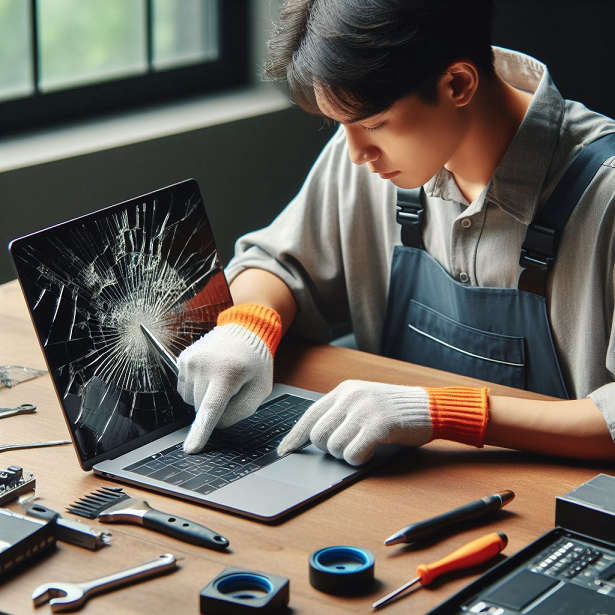
A: While DIY screen replacements are possible, it’s generally recommended to consult a professional. The process can be delicate, and improper installation can further damage your laptop.
Q: Where can I find a reliable laptop screen repair service?
Look for a repair shop with the following qualities:
- Experience & Reputation: Look for a technician with experience in laptop screen replacements for your specific brand and model.
- Customer Reviews: Read online reviews and testimonials to get an idea of the technician’s quality of service.
- Warranty & Guarantees: Inquire about the warranty offered on the replacement screen and labor.
Here at Brisbane Computer Fix in Brisbane , we tick all those boxes and more!
We offer:
- Fast and reliable turnaround times (often same-day repairs).
- Competitive and transparent pricing.
- Highly skilled technicians with a proven track record.
- A friendly and professional customer service experience.
Cracked or Broken Laptop Screen in Brisbane? We Can Fix It!
Is a shattered laptop screen making your life difficult? Don’t let a damaged display stop you in your tracks. Here at Computer Repair New Farm , we’re your one-stop shop for high-quality laptop screen repair Brisbane residents can trust.
We specialize in a wide range of repairs, including:
- Mac screen replacement: Breathe new life into your MacBook Air or MacBook Pro with a flawless screen replacement.
- Computer screen repair near me: We’re conveniently located, so you won’t have to travel far for expert repairs.
- MacBook Air screen replacement: Restore the vibrant display of your MacBook Air with a professional replacement.
- MacBook Pro screen replacement: Get your MacBook Pro back to peak performance with a swift screen repair.
- HP laptop screen replacement: We can fix cracked or malfunctioning screens on all HP laptop models.
- Macbook screen replacement cost: Get a free quote to find out the affordable cost of repairing your MacBook screen.
- HP screen replacement: Don’t replace your entire HP laptop – a screen repair is a cost-effective solution.
We Fix More Than Just Apple and HP!
Our expertise extends beyond Apple and HP. We can also repair screens for other major brands, including:
- Lenovo screen replacement: Get your Lenovo laptop’s display back in top shape.
- Dell laptop screen replacement: We can fix cracked or malfunctioning screens on Dell laptops.
- HP Envy x360 screen replacement: Enjoy the versatility of your HP Envy x360 with a repaired screen.
Looking for Repairs Beyond the Screen?
We understand that laptop problems can go beyond a cracked screen. Here are some additional services we offer:
- iPhone XR screen replacement cost near me: We can replace your iPhone XR screen at a competitive price.
- Laptop hinge repair near me: Don’t let a loose hinge ruin your laptop – we can fix it!
Why Choose Us for Your Laptop Screen Repair?
- Fast Turnaround: In most cases, we can replace your laptop screen within the same day.
- Competitive Prices: We offer affordable and transparent pricing for all our repairs.
- Expert Technicians: Our highly skilled technicians have the experience to fix any laptop screen issue.
- Free Quotes: Get a free quote upfront so you can make an informed decision.
- High-Quality Parts: We use only the highest quality replacement parts to ensure a long-lasting repair.
Contact us today for a free quote!
Let’s get your laptop screen shining bright again!
Contact Us Today!
Restore your laptop’s vibrant display with our expert screen replacement services. Contact Brisbane Computer Fix in New Farm today for a free quote!
- Call us at 0468 991 300
- Visit our website at www.computerrepairnewfarm.com.au
- We Come to visit you! email: ike@brisbanecomputerfix.com
Let’s get your laptop back to its best!
Don’t Let a Cracked Screen Crack Your Wallet: A Guide to Laptop Screen Repair and Prevention
The laptop screen: our portal to the digital world, a window into productivity, entertainment, and connection. But what happens when that window gets shattered? A cracked laptop screen can be a major inconvenience, throwing a wrench in your workflow and leading to a hefty repair bill.
This blog post tackles all things laptop screens, from navigating the repair process to preventive measures that can save you money and frustration down the line. We’ll also delve into what factors to consider when buying a new laptop, with a focus on screen brightness for optimal viewing and potential damage prevention.
The Painful Price of Cracked Screens:
Facing a cracked screen can be a stressful experience. Beyond the immediate frustration, the repair cost can be a significant blow. Depending on the brand, model, and screen type (touchscreen vs. non-touch), a laptop screen repair in Brisbane can range anywhere from $200 to $800+.
Here’s a breakdown of some factors affecting repair costs: New Farm Laptop Screen Replacement
- Laptop Brand and Model: High-end brands like Apple and newer models will generally have pricier replacement screens.
- Touchscreen vs. Non-Touchscreen: Touchscreens are more expensive to replace due to the additional touch-sensitive layer.
- Screen Resolution and Size: High-resolution displays (4K) and larger screens will cost more to fix.
- Repair Shop Location: Inner-city repair shops might have slightly higher costs compared to suburban locations.
The Repair Process: What to Expect
So, you’ve cracked your screen. Here’s what to expect when seeking a repair: New Farm Laptop Screen Replacement
- Research: Gather information about your laptop model and screen type (touch or non-touch).
- Get Quotes: Call different repair shops in your area to compare prices and turnaround times.
- Look for Reviews: Read online reviews to gauge customer satisfaction with different repair shops.
- Data Backup: Before any repairs begin, ensure you have a recent backup of your important data.
- Diagnosis and Repair: A qualified technician will diagnose the problem and replace the screen.
Preventing the Pain: Proactive Measures for a Healthy Screen – New Farm Laptop Screen Replacement
While accidents happen, there are steps you can take to significantly reduce the risk of a cracked screen and the associated repair costs: New Farm Laptop Screen Replacement
- Invest in a Quality Laptop Case: A sturdy, well-padded laptop case is your first line of defense. It absorbs impact and protects the screen from bumps and scratches. Opt for a case with a snug fit and consider one with a built-in screen protector for added security.
- Embrace the Power of Screen Protectors: Think of a screen protector as a second layer of defense against scratches and minor impacts. They are inexpensive and come in various materials (anti-glare, matte, etc.) to suit your needs.
- Mind Your Handling: Always handle your laptop with care, especially when opening and closing the lid. Avoid placing excessive pressure on the screen and never lift the laptop by the screen alone.
- Beware of Extremes: Extreme temperatures (hot or cold) can weaken the screen material. Avoid leaving your laptop in direct sunlight or inside a hot car for extended periods.
Beyond Protection: Choosing a Screen Wisely When Buying a New Laptop – New Farm Laptop Screen Replacement
While protective measures are crucial, the type of screen you choose when buying a new laptop can also play a role in its durability. Here are some factors to consider:
- Screen Brightness: For optimal viewing comfort, especially in well-lit environments, consider a laptop with a screen brightness of at least 400 nits. This is particularly important if you work outdoors or in brightly lit areas frequently. Higher brightness can help reduce eye strain and improve visibility of on-screen content.
- Panel Type: There are two main LCD panel types: TN (Twisted Nematic) and IPS (In-Plane Switching). IPS panels offer wider viewing angles, better color accuracy, and superior image quality compared to TN panels. While IPS panels are generally more expensive, their durability can be a worthwhile investment.
- Touchscreen vs. Non-Touchscreen: Touchscreens offer a more interactive experience, but they are also more prone to accidental damage. If you don’t require touchscreen functionality, opting for a non-touch screen can save you money on both initial purchase and potential repairs.
The Takeaway: Prevention is Key – New Farm Laptop Screen Replacement
While cracked screens happen, remember that prevention is always more cost-effective than repair. By taking proactive steps like investing in a good laptop case and screen protector, handling your laptop with care, and choosing a screen with optimal brightness and panel type when buying a new device, you can significantly reduce the risk of accidental damage and save yourself a trip.
Taking the Plunge: Your Step-by-Step Guide to Laptop Screen Repair
A cracked laptop screen can be a real downer. But before you resign yourself to a dark and unusable device, consider a screen replacement! Here’s a detailed breakdown of the process we follow at Brisbane Computer Fix to get your laptop back in top shape:
Step 1: Contact Us! ike@brisbanecomputerfix.com
- Give us a call: Reach out to us at 0468 991 300 to discuss your laptop screen woes.
- Tell us about your laptop: Briefly describe the issue you’re facing (cracked screen, distorted visuals, etc.). Knowing the brand and model number (usually located on the underside of your laptop) is helpful for us to assess the situation. You can even send a clear picture of the model number via text message or email for faster reference.
Step 2: Getting a Quote
- Based on your description and model number, we can provide a preliminary quote for the screen replacement. This estimated cost will include:
- The replacement screen part itself.
- The labor cost for installation.
Step 3: Display Availability and Deposits
- Screen Availability: We’ll check if the replacement screen for your specific laptop model is in stock.
- Deposit for Ordered Parts: If the screen needs to be ordered, a small deposit might be required to secure the part. We’ll clearly communicate this upfront.
Step 4: Turnaround Time Transparency
- Same-Day Repairs (When Possible): If the replacement screen is readily available, we can often complete the repair within the same day! This is a huge advantage, minimizing downtime for you.
- Ordered Screens: For screens that need to be ordered, the turnaround time will depend on the delivery timeframe. We’ll keep you informed throughout the process.
Step 5: The Repair Process Itself
- Part Check and Installation: Once we have the replacement screen, our skilled technicians will take over. This typically involves:
- A thorough examination of the damaged screen to understand the extent of the problem.
- Checking the new screen for any defects before installation.
- Meticulously installing the replacement screen. This process usually takes between 30 minutes to 2 hours, depending on the complexity of the repair.
Important Notes:
- Cracked Screen Images Help Us Diagnose: Seeing a picture of the damaged screen can significantly assist us in pinpointing the exact issue and recommending the most suitable repair solution.
- Beyond Screen Repair: Our expertise extends beyond screen replacements. If your laptop has other issues, such as a bent or broken frame, we’ll be able to assess that as well and provide repair options.
By following these steps, you can approach your laptop screen repair with confidence. We at Brisbane Computer Fix are committed to providing a transparent and efficient repair process, getting your laptop back to its bright and beautiful self in no time!